✨ Get your Ideal Pricing Model in 5 mins. Optimize pricing.
Connectors

Get paid without building a payments stack

Paygent already turns your agent usage into an invoice. Connectors take it the last mile — attach a Stripe or Razorpay payment link to that invoice, and let a verified webhook mark it paid the moment your customer settles.

Vendors and cloud providers Paygent connects to

Payment connectors

Two providers, wired end to end

Stripe logoGlobal

Turn any unpaid Paygent invoice into a Stripe Checkout link. When the customer pays, a signed webhook marks the invoice settled automatically.

What you paste in
Stripe secret key · Webhook signing secret
Verified with
Stripe-Signature
Webhook events it listens for
checkout.session.completed
Razorpay logoIndia-first

Issue a Razorpay payment link against an invoice and let customers pay on Razorpay’s hosted page — UPI, cards, netbanking and wallets included.

What you paste in
Key ID · Key secret · Webhook secret
Verified with
X-Razorpay-Signature
Webhook events it listens for
payment_link.paidorder.paidpayment.capturedpayment.authorizedpayment.failed

How it works

From metered usage to a settled invoice

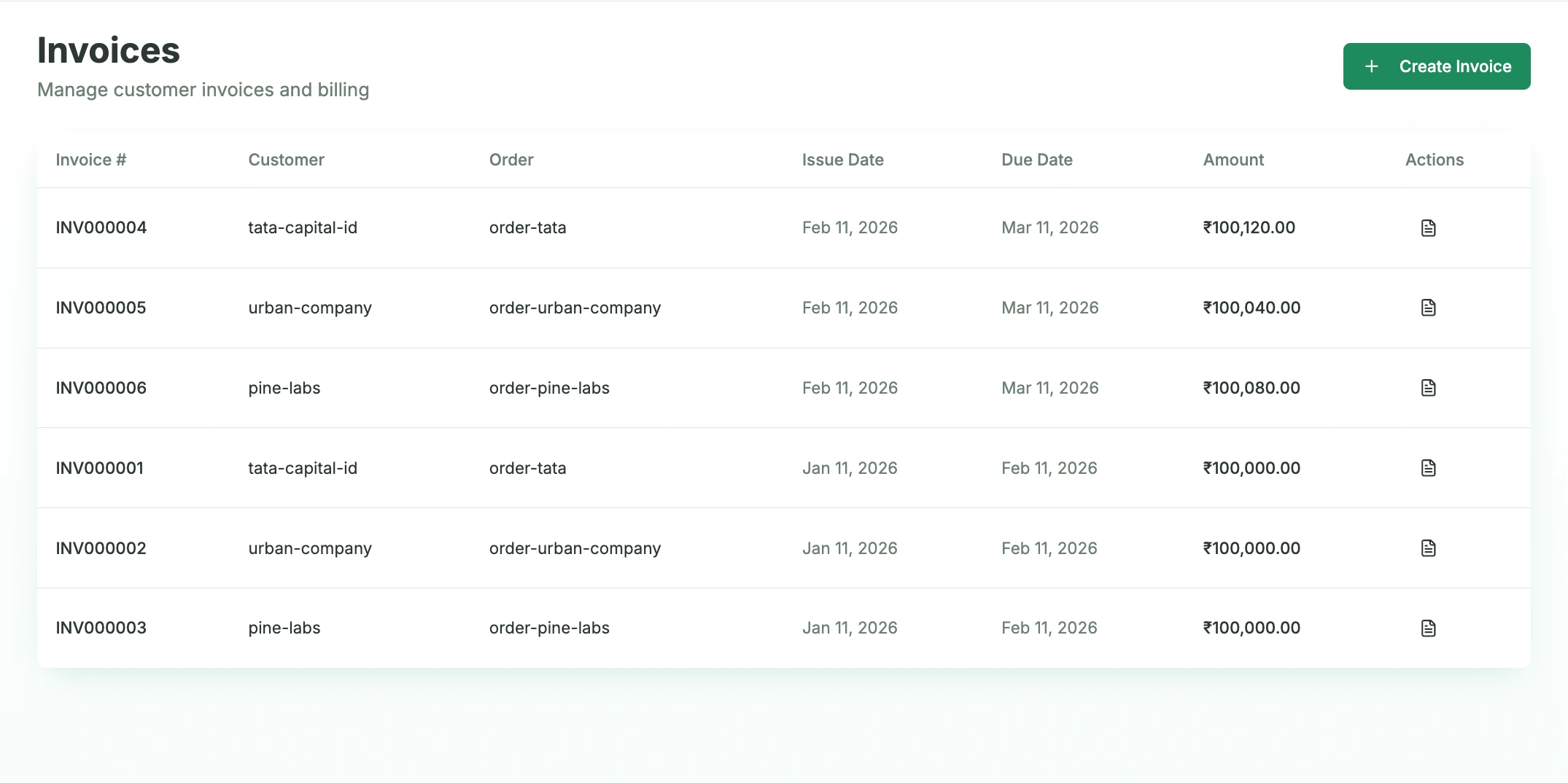
Paygent invoices list showing generated customer invoices
  1. 1

    Connect the account

    In Settings → Integrations, paste your provider keys. Paygent encrypts them at rest and only ever reads them back to you masked.

  2. 2

    Point the webhook

    Paygent hands you a webhook URL. Add it in the Stripe or Razorpay dashboard and subscribe to the payment events — that is the whole integration.

  3. 3

    Send the invoice

    Generate a payment link on any unpaid invoice, or switch on “Send invoice with payment link” so every invoice email carries one automatically.

  4. 4

    Get reconciled

    The customer pays on the hosted page, the signed webhook reaches Paygent, and the invoice flips to paid. Nothing to match by hand.

Vendor metering

Every model provider, priced on the way in

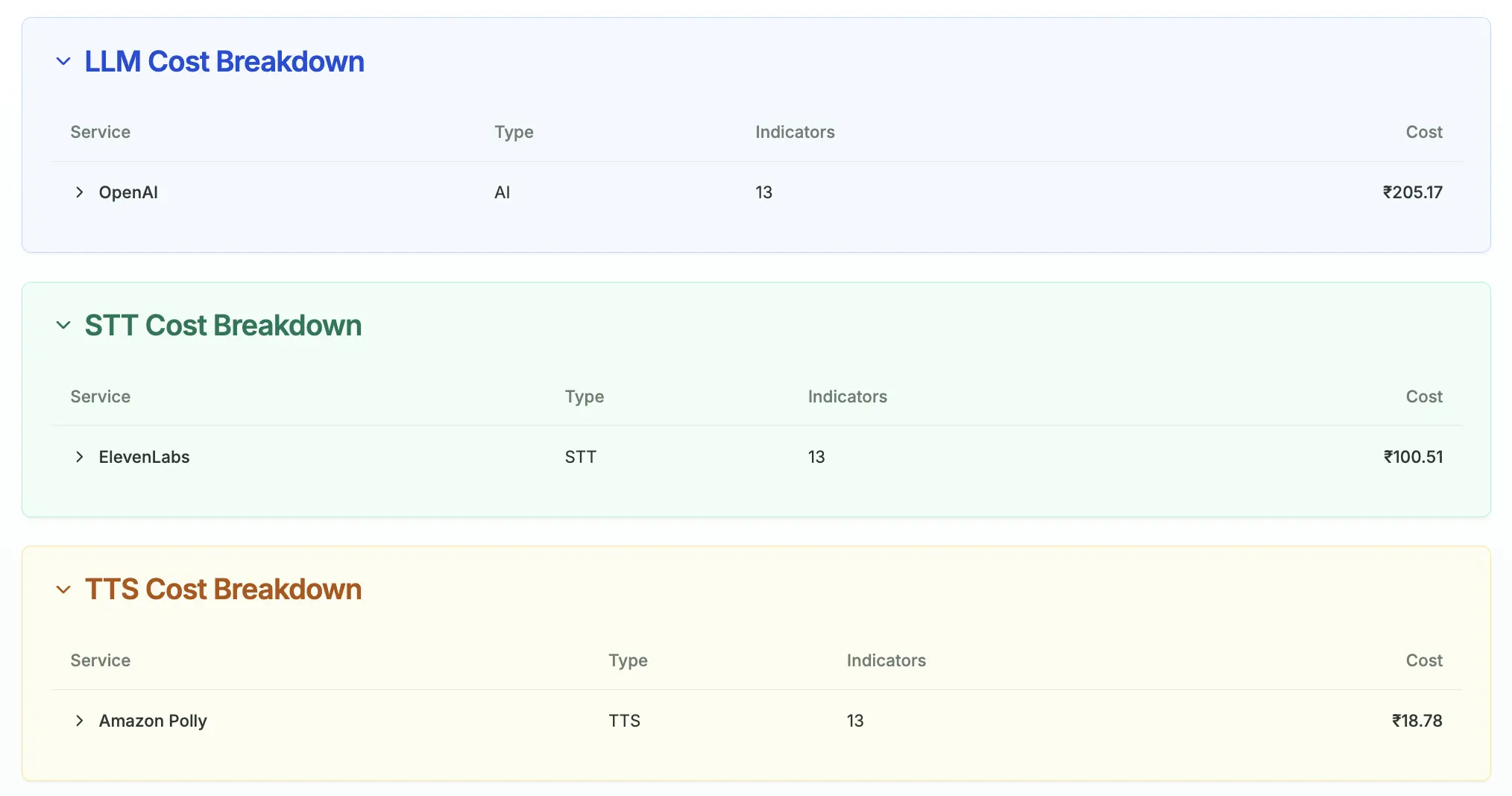
Report usage once and Paygent prices it server-side against its model registry, so LLM, speech-to-text and text-to-speech spend all land in the same ledger — split by vendor, agent and customer.

Cloud spend connects the same way: an AWS IAM role or a Google Cloud service account with billing export, so infrastructure cost sits beside model cost when you look at margin.

Paygent cost breakdown by vendor across LLM, STT and TTS

Why it helps

What you skip by connecting instead of building

No payments code to write

You are not building checkout sessions, payment links or webhook handlers. Connect the account and the flow already exists.

Signature-verified webhooks

Every callback is verified against the provider signature before an invoice is touched, so a forged request cannot mark anything paid.

Credentials stay masked

Keys are encrypted at rest and returned only as masked values, so a dashboard session never exposes a live secret.

Works on metered invoices

The link is attached to the invoice Paygent already generated from real agent usage — volume tiers, minimums, credit notes and tax included.

Connect once, then stop chasing payments

Set up a payment connector in Settings → Integrations and your next invoice can go out with a link already attached.

FAQ

You've got questions?
we've got answers

What is the investment to start using the platform?+
How does the platform handle different forms of AI agent payment?+
How is this platform different from basic AI Agents usage monitoring tools?+
What immediate profit gains will I see from cost visibility?+
Which LLMs does your tracking engine support?+
Does the platform accommodate complex, hybrid pricing models for my customers?+
Is there a way to show my end-customers their AI Agents usage and value?+